Rescue-Trac
Overview
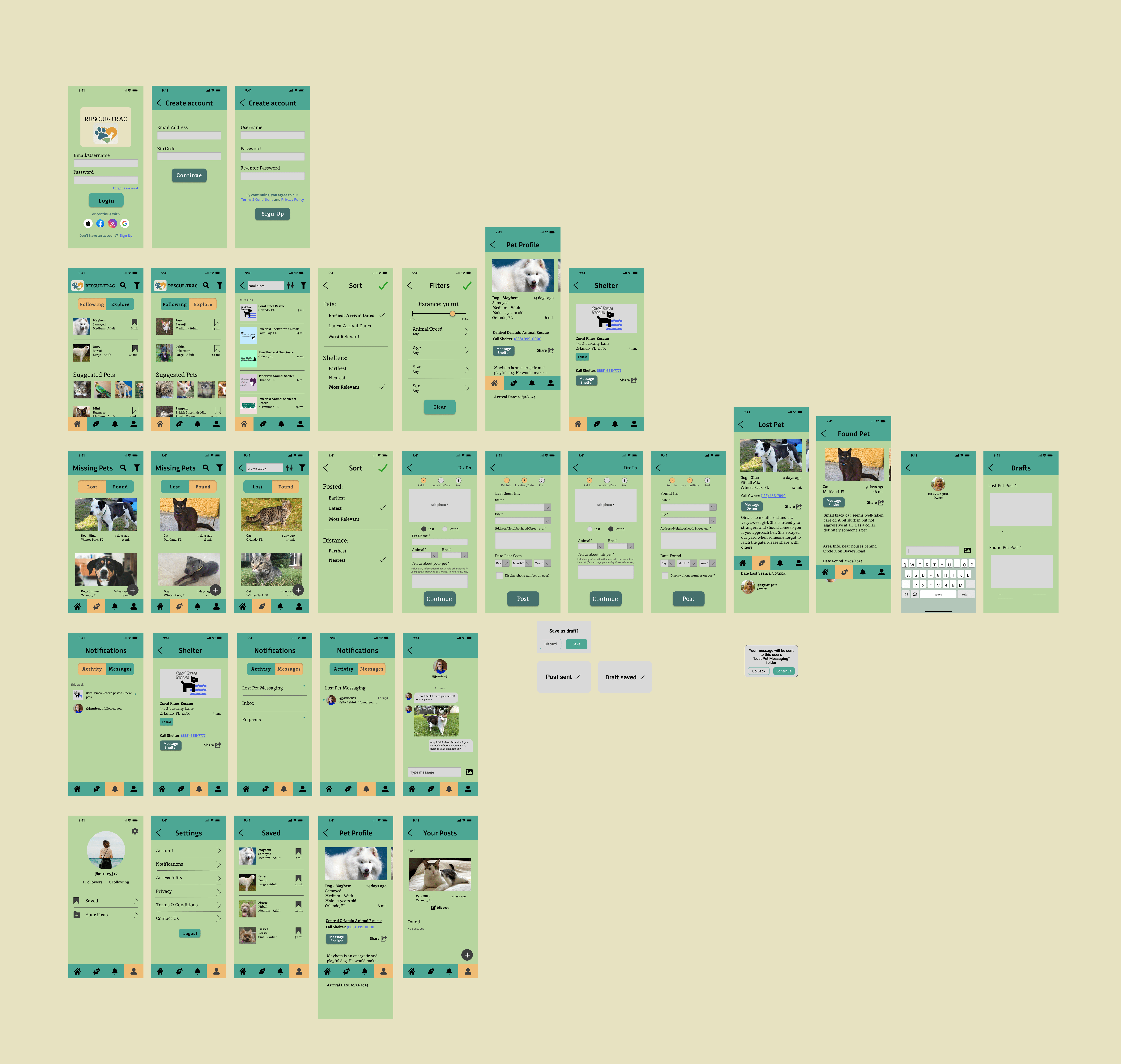
Rescue-Trac is a concept for a pet-finder app. Its main purposes are to help users find pets to adopt and to help other users find lost pets .
Background
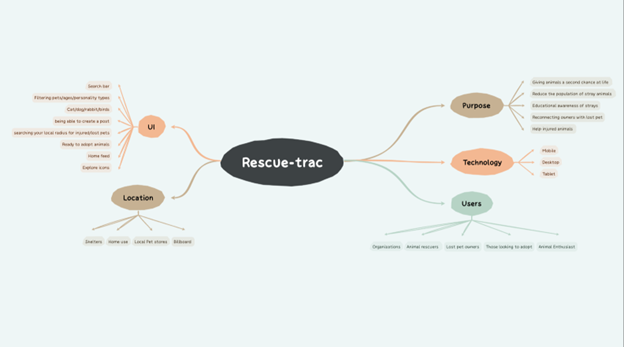
This was created as a group project in a User-Centered Design class under the guidance of Dr. Maria Harrington. Students started with their own app ideas, and then, once formed into groups, they were to combine their ideas into a single app concept. What started as a brainstorming diagram of multiple people's ideas became a hi-fi interactive prototype for an app with real-world use.
Throughout the course of this semester-long project, I learned many important UX protocols and methods, as well as ways to gather and implementuser feedback. I worked as the team lead and the main UI/UX designer. My final and biggest contribution was creating this hi-fi prototype in Figma.
Essential Tools
- Figma- wireframing and prototyping
- SurveyMonkey- user surveys
- Excel- charts and graphs
- Paper, pen, and pencil- wireframing, prototyping, illustrating use cases
- Various diagramming and flowcharting tools
Trust the Process
After solidifying our app idea, we got to work with research. We analyzed several examples of similar apps on the market and took note of their pros and cons. We created a market matrix to chart and organize our findings.
Original Brainstorm
What we found...
Other apps only serve one of our two purposes-- they either help users find pets to adopt or help them find their lost pets. They also rarely combined a social aspect, which we felt would better serve users in the market for new pets. With these features included, users can message or call shelters and foster homes all from one app. They also have access to info for each pet they're interested in through pet profiles.
Making a difference.
Our app would combine 2 different yet similar purposes and integrate common features of social platforms such as following accounts and messaging other users. This would create a multi-use app with a community of animal-loving users there to help each other.
Audience Analysis
Primary Users: Young adults, adults, animal lovers
Secondary Users: Shelter workers/volunteers, veterinarian clinic employees
We broke our target audience down into groups and created use cases and tasks they would be completing every time they opened the app. This gave us insights into who we were making an app for and the various needs each group would have. We conducted user surveys to get a better grasp of what people want and what they thought wouldn't be useful in a pet-finder app like ours. We visualized this data with Likert scale bar graphs for each question and evaluated potential users' primary wants and needs. We also conducted a think-aloud protocol with a similar app to analyze a typical user's interactions with the interface.
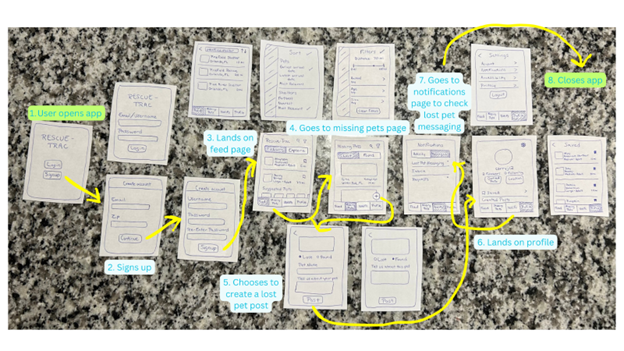
Paper Prototype with a User Task Outlined
Production
We created a data dictionary, outlined our technological requirements, and mapped out our information architecture and navigation flows. We developed a paper prototype, then a simple digital wireframe, and followed this with another think-aloud and interaction analysis. After, I got to work with our high-fi prototype and got it ready for user-testing. We conducted more user surveys and implemented the feedback into our product. After refinements were made, we created a style guide and list of future improvements we would make later on.
Key Features
- Notifications
- The ability to follow rescue shelters and foster homes that the user is interested in
- A button on pet profiles to message the shelter directly in the app
- A button on lost/found pet posts to message the owner/finder of a pet directly in the app
- Optional inclusion of a telephone link for pet profiles or posts
- Bookmarking functionality to save a list of pet profiles a user is interested in
Visuals
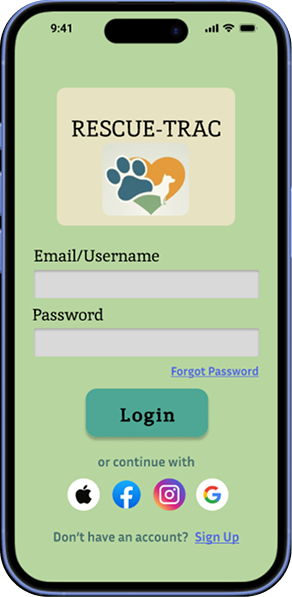
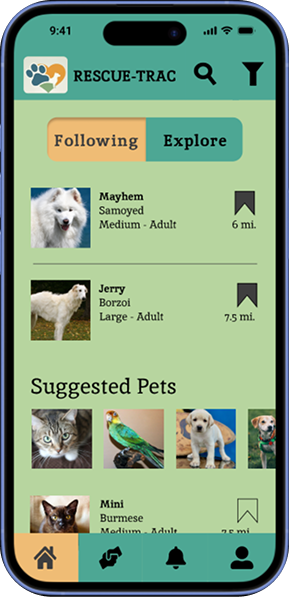
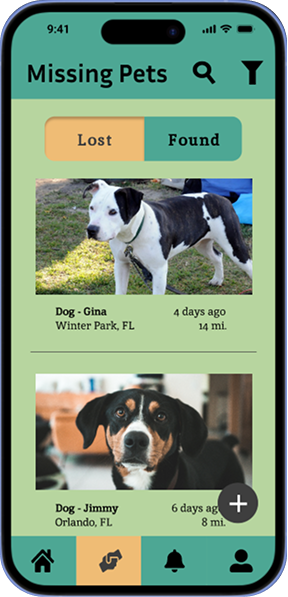
The color scheme is playful and friendly while maintaining a calm atmosphere. The teals and greens provide a serene backdrop while the orange accents brighten up the palette and provide a contrast to the cooler hues.
Icons such as the filter and the user represent expected functionality for better user experience. Touch targets are kept large enough to prevent misclicks and color contrast is demonstrated for good accessibility.